Managing Workspace Settings
Adjust workspace details, post writing language, timezone, and switch workspaces.
Open Loompify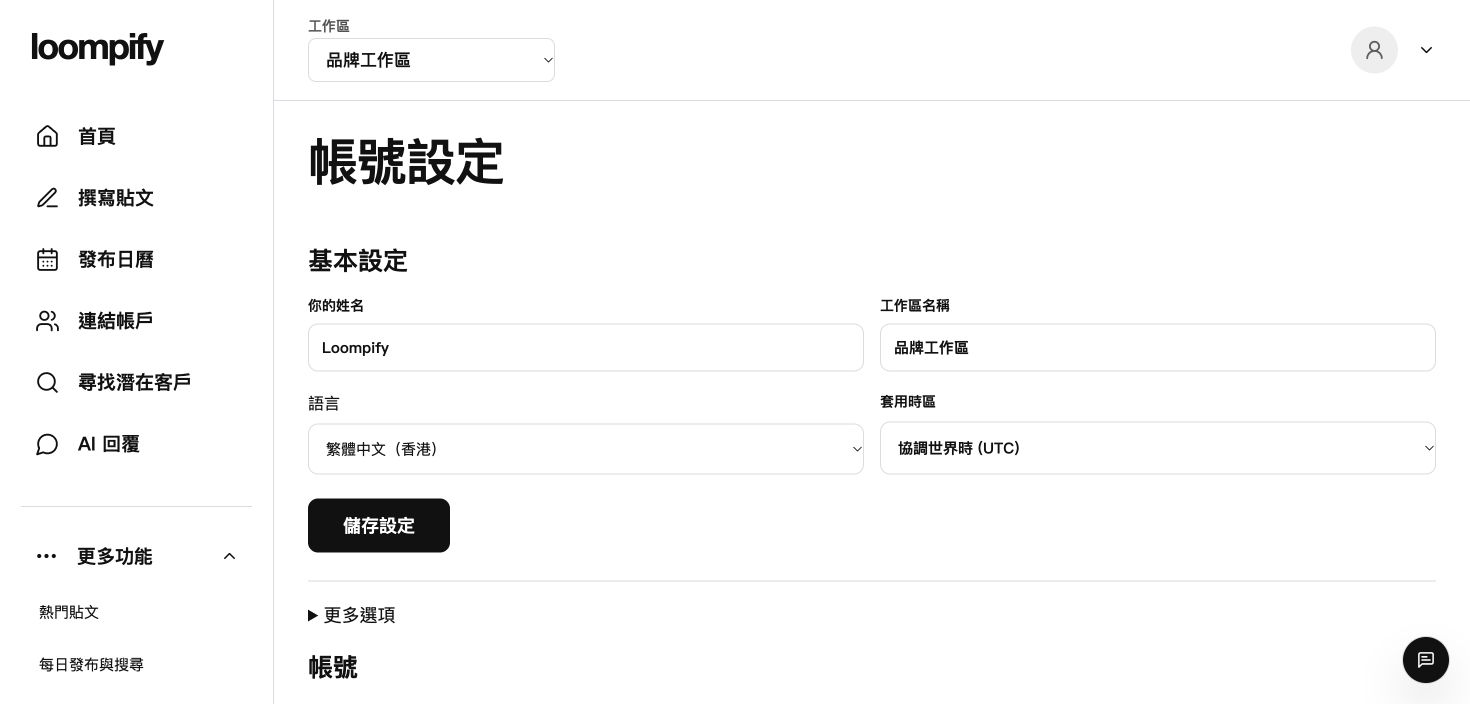
Before you start
Changing the writing language only applies to newly generated text, not past posts or app interface text.
Step-by-step instructions
Open main settings
Click More in the sidebar and select Settings to manage your workspace name, writing language, and timezone.
Configure brand tone
Navigate to More options under Settings if you want to set a dedicated brand tone.
Understand language settings
Your post writing language controls generated content and operates independently from the app interface language.
Switch workspaces
Use the workspace selector in the top bar to move between different business accounts.
Workspace switching troubleshooting
If a workspace does not appear in the top bar menu, click the selector dropdown again or re-login.
Need help? ↗Updated