Setting Up Daily Campaigns
Automate recurring daily content generation based on topics, target accounts, and timing.
Open Loompify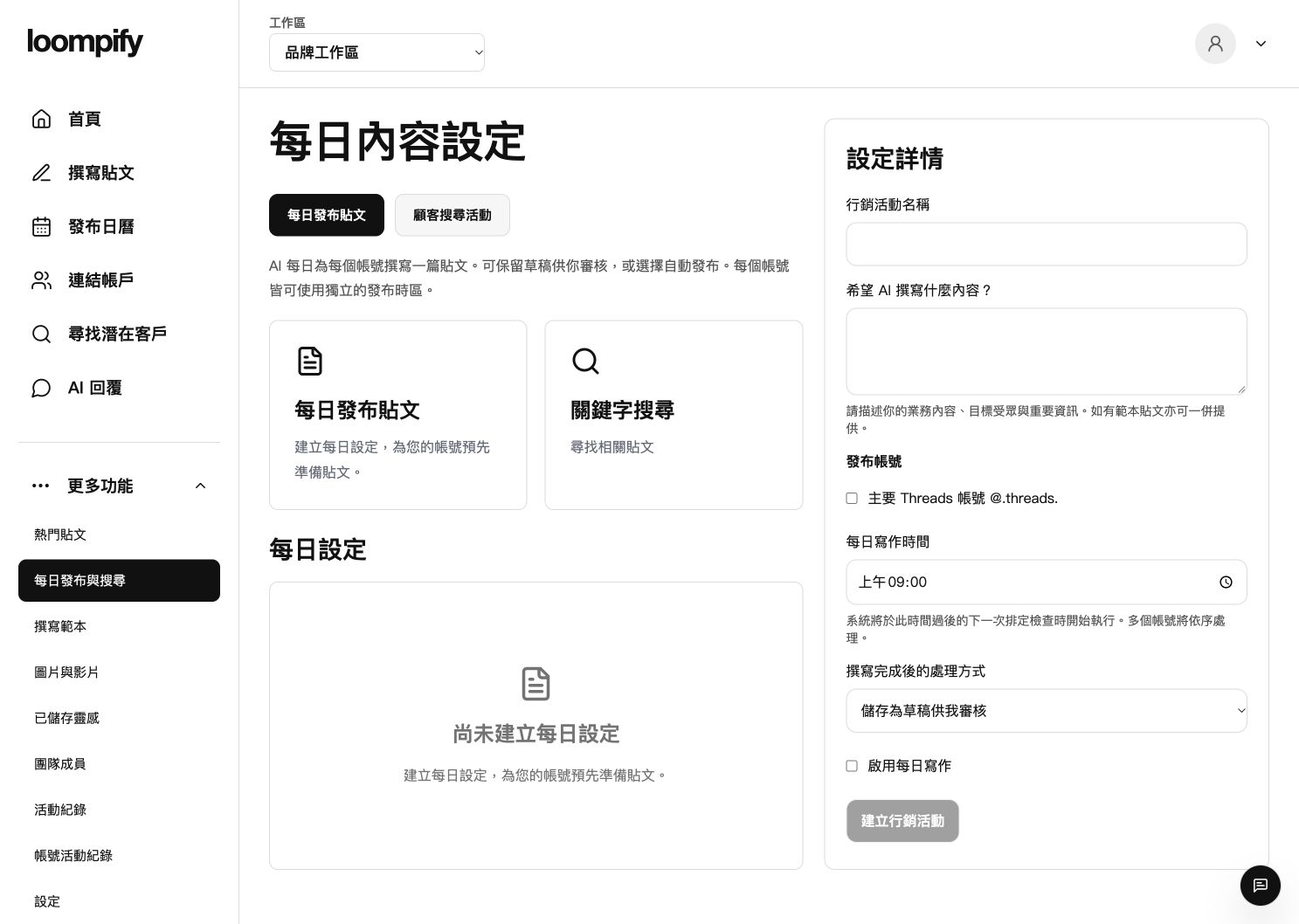
Before you start
Campaigns run based on each account's timezone. Pausing or deleting a campaign stops new daily generation but preserves existing drafts and already planned posts.
Step-by-step instructions
Open daily campaign setup
Click More in the sidebar and select Daily posts and searches to create or edit a campaign.
Fill in business details and prompt
Enter a campaign name and write a detailed prompt describing your business, audience, facts, and desired tone.
Select accounts and timing mode
Check the accounts to include, set the daily writing time, and choose to save drafts for review or publish automatically.
Enable and save the campaign
Enable daily writing and save the campaign. Generation starts on the next scheduled check after your selected time.
Daily post troubleshooting
If daily posts are not generating, ensure the turn on daily writing checkbox is checked and your account connection is active.
Need help? ↗Updated