Managing Subscription and Billing
Understand plan pricing, upgrade subscriptions, and manage invoices securely via Customer Portal.
Open Loompify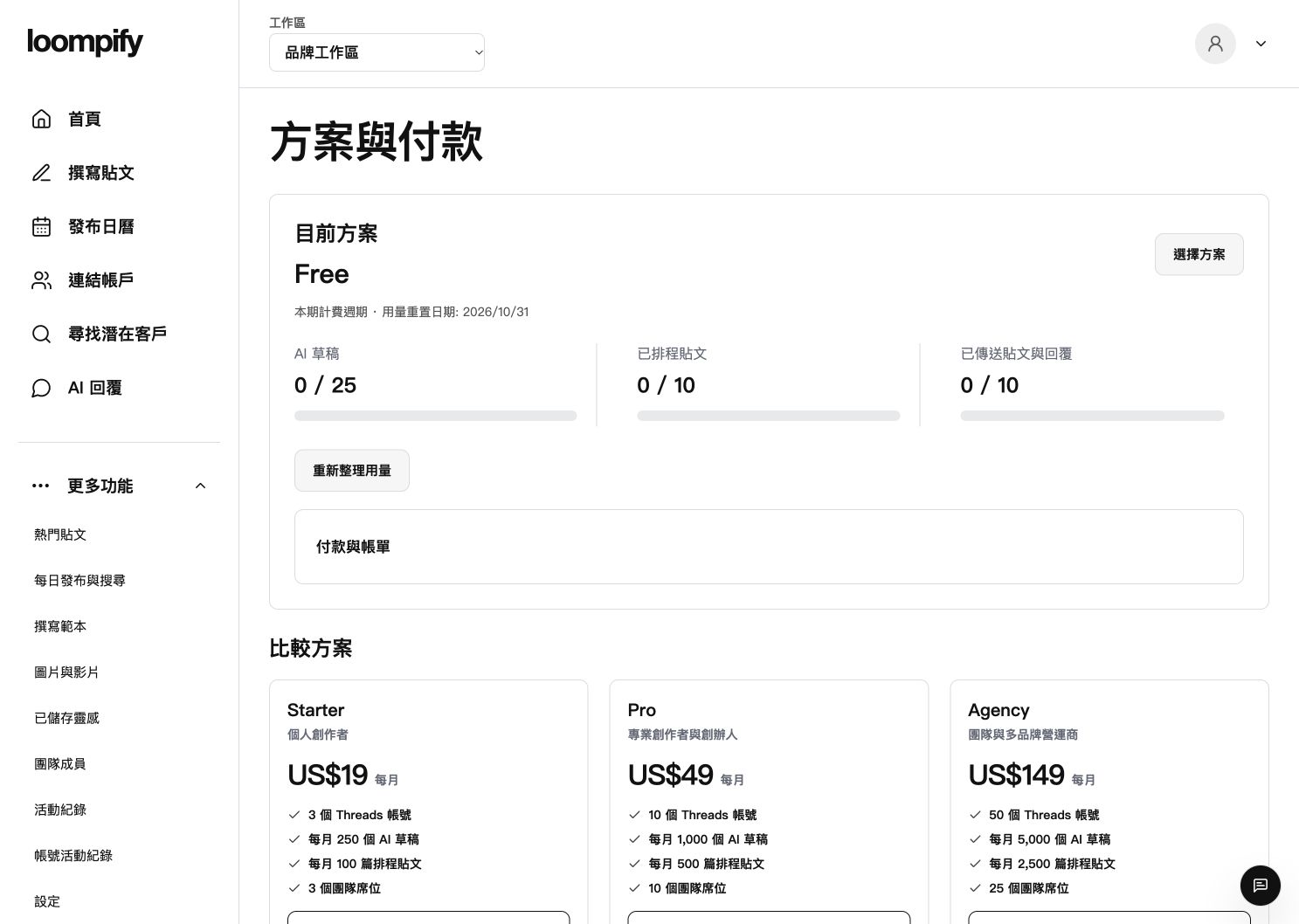
Before you start
Merely opening checkout or entering card details does not charge you until you explicitly confirm the payment.
Step-by-step instructions
View plan options
Click More and select Plan and payments to view plan tiers priced at USD 19, 49, or 149 per month.
Open secure checkout
Select a plan tier to launch the checkout window without incurring immediate charges.
Review total and confirm
Review the final charge amount and any applicable taxes, then explicitly confirm subscription payment.
Access Customer Portal
Use the billing portal link to download invoices, update payment methods, or cancel at period end.
Troubleshooting billing updates
If subscription changes do not reflect immediately, refresh your page or re-login to your account.
Need help? ↗Updated