Monitoring Usage and Status
Track monthly feature usage, AI activity, estimated costs, and recent task statuses.
Open Loompify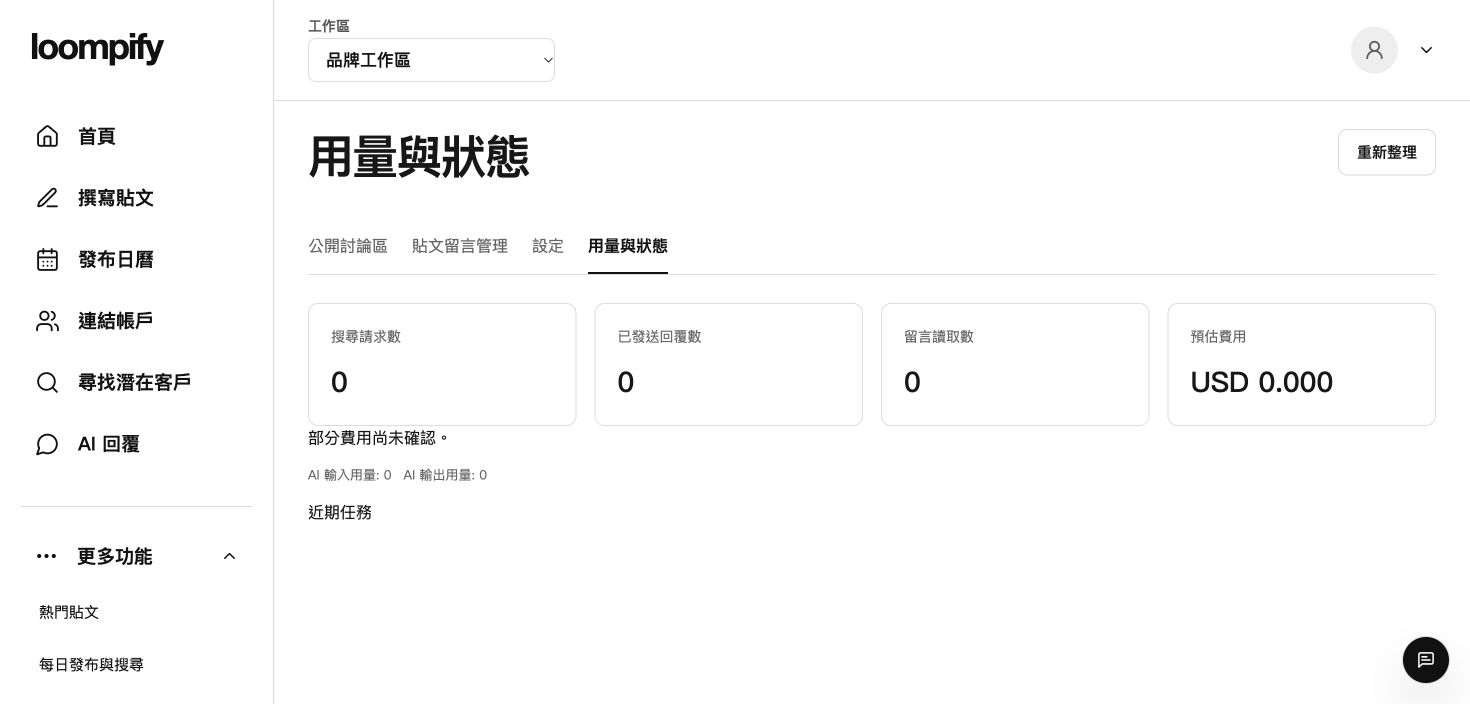
Before you start
Usage metrics reflect feature ledger totals only; estimated costs are calculations, not confirmed invoice charges.
Step-by-step instructions
Open usage dashboard
Click More in the sidebar and select Usage and status to open the activity ledger.
Review monthly feature metrics
Check counters for customer searches, sent replies, and comment reads completed this month.
Inspect AI usage and estimated cost
View AI processing totals and estimated usage costs calculated for the current ledger period.
Audit recent task statuses
Review recent tasks in the log. A status showing queued, processing, or failed does not mean a reply was sent; verify actual delivery by checking the comments on your post.
Usage tracking troubleshooting
If a task remains queued or fails for a long time, check your account connection, feature limits, and pause settings, then verify actual publication on your post comments.
Need help? ↗Updated